
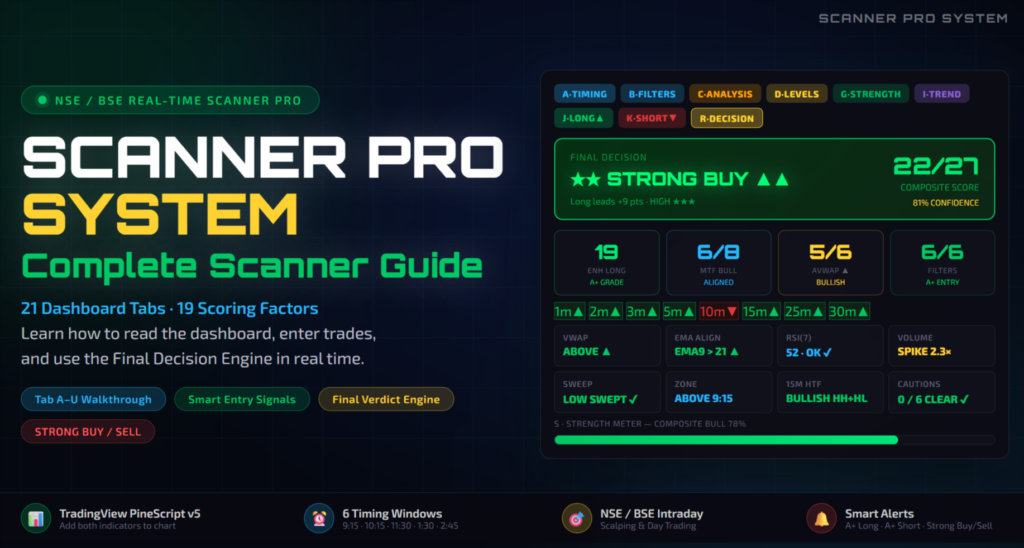
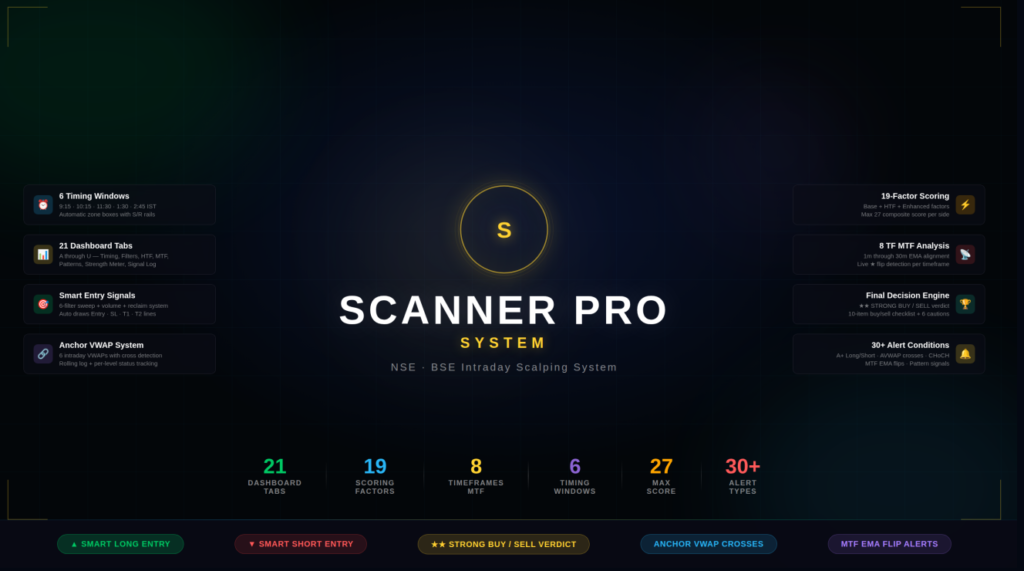
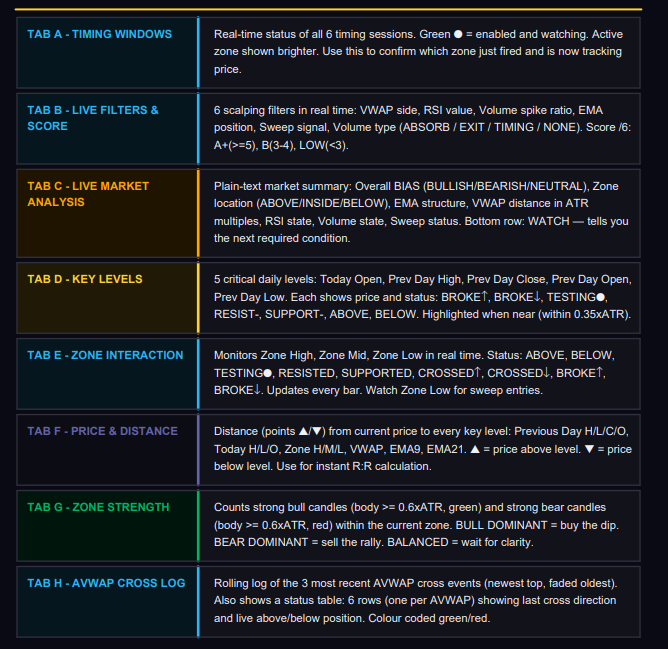
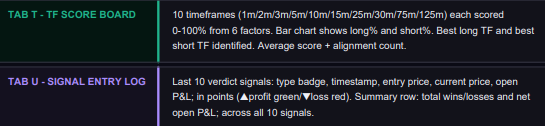
SCANNER PRO SYSTEM, is a comprehensive trading view real time scanner for stock and index that brings together 21 dashboard tabs and 19 scoring factors to help traders make faster, more accurate decisions; this complete scanner guide teaches you how to read the dashboard, enter trades, and use the Final Decision Engine in real time, while walking you through Tab A–U, highlighting Smart Entry Signals, explaining the Final Verdict Engine
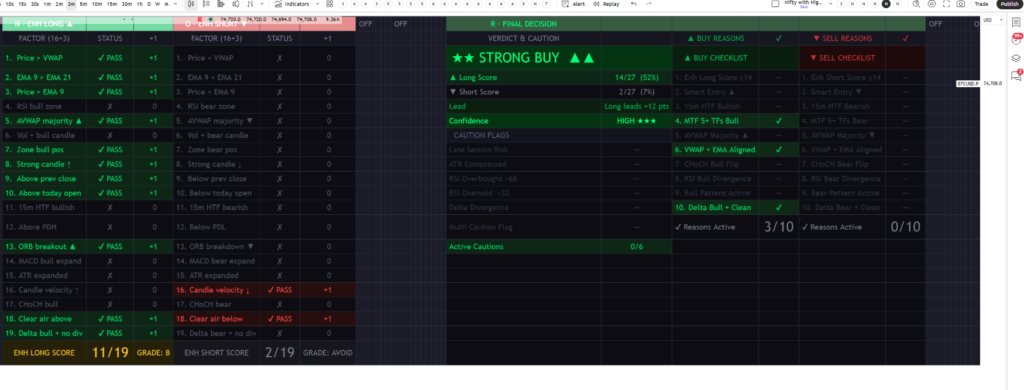
THE 19-FACTOR SCORING SYSTEM
Every bar, all 19 factors are recalculated. A factor scores either +1 LONG or +1 SHORT, never both. Higher scores confirm stronger directional conviction.
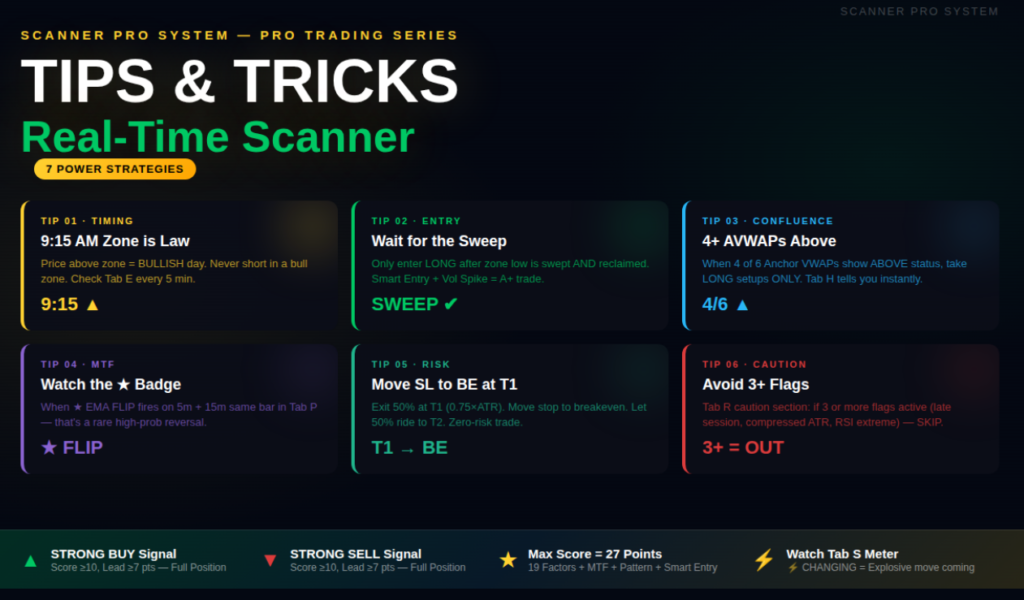
How to Use ?
- QUICK START — Installation & Setup
Follow these exact steps to install both indicators on your TradingView chart:
Open TradingView & Select Your Chart
Choose an NSE/BSE symbol (e.g., NIFTY 50, BANKNIFTY). Set timeframe to 1m, 2m, 3m, or 5m. - Add Indicator 1 — Indicator 1
- Add Indicator 2 — Dashboard all in one 2026′
- Both indicators: Settings -> Dashboard -> Position = ‘Top Right’. Dashboard Size = ‘Large’.
Trading View -> Save layout. Both indicators will load automatically every session.
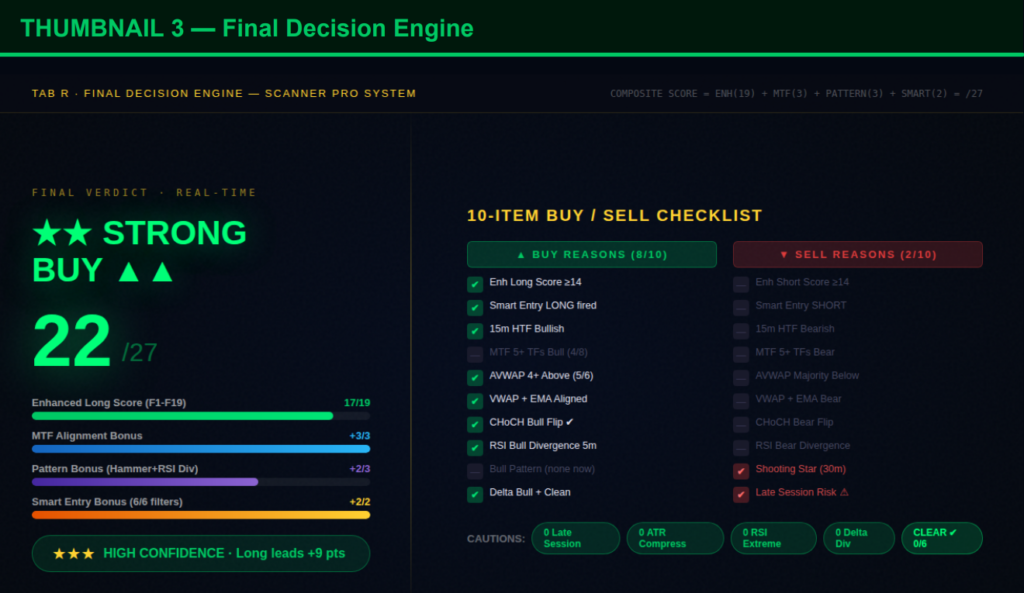
Sample Data – Checklist Image
Demo – How to Use The Scanner
Dashboard

Product Disclaimer : This trading view real time scanner for stock and index is developed for study purposes only and should not be considered financial advice; always trade using your own analysis and risk management because no scanner or system can guarantee profits in any trading market, so treat this tool as an educational resource and a supplement to your personal research rather than a substitute for independent decision-making.